CloudFront Logs to OpenSearch via AWS Lambda
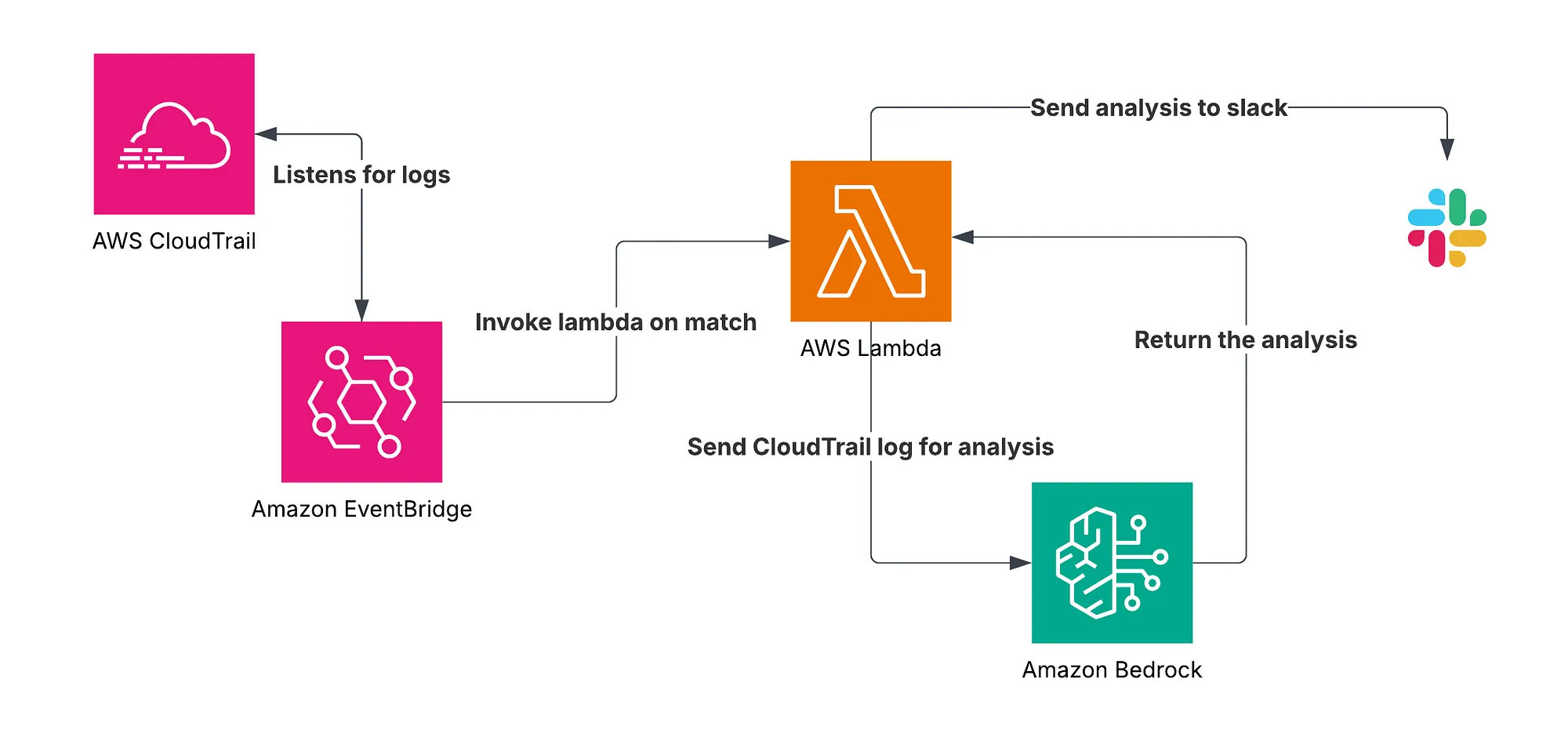
Overview
This guide will walk you through setting up an AWS Lambda function that automatically sends CloudFront access logs (stored in S3) to an OpenSearch index, allowing you to query and analyze CDN traffic in real time.
What You’ll Need
Before you begin, make sure you have:
An AWS account with:
- A CloudFront distribution (logging enabled)
- An S3 bucket to store the logs
- An OpenSearch domain
AWS CLI installed
Basic familiarity with Lambda and IAM
High-Level Flow
- CloudFront sends logs to S3.
- An S3 event triggers an SNS notification.
- SNS invokes a Lambda function.
- Lambda:
- Downloads the log file from S3
- Decompresses and parses it
- Formats it
- Sends it to OpenSearch using bulk indexing
Step-by-Step Implementation
1. Enable CloudFront Logging
- Go to your CloudFront distribution.
- Under General → Logging, enable logging.
- Under Logging → Click add Standard log destinations
- Choose your destination S3 bucket.
Logs will be stored in GZIP format and will arrive a few minutes after requests.
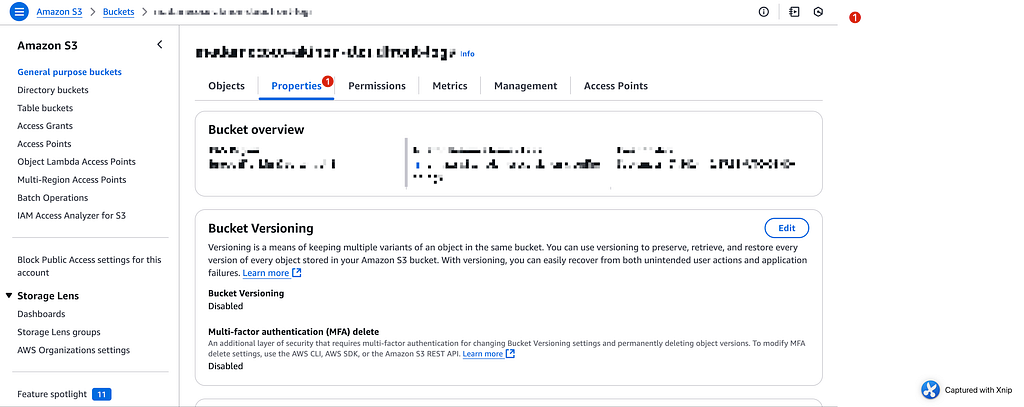
2. Set Up the S3 Bucket
- Create (or choose) the S3 bucket for CloudFront.
- Make sure it’s in the same region as your Lambda (for simplicity).
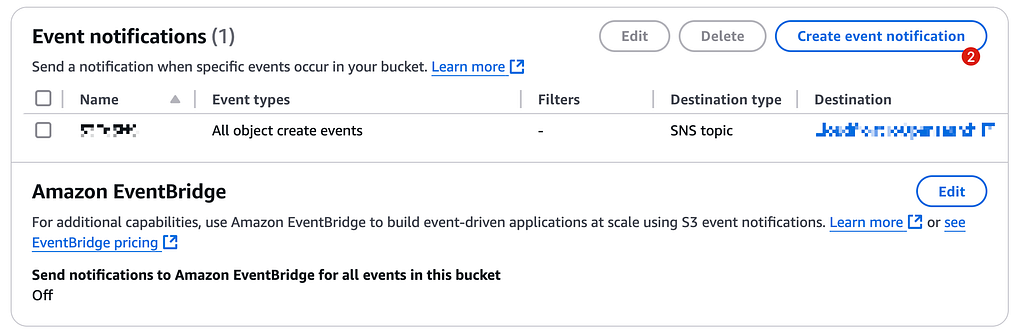
- Enable event notifications:
- Event type: All Create Events
- Destination: SNS topic
3. Create an SNS Topic
- Go to the SNS console and create a new topic. You can keep the default settings.
- Subscribe your Lambda function to this topic (next step).
- You should change the Access Policy to let S3 publish messages to your s3 bucket.
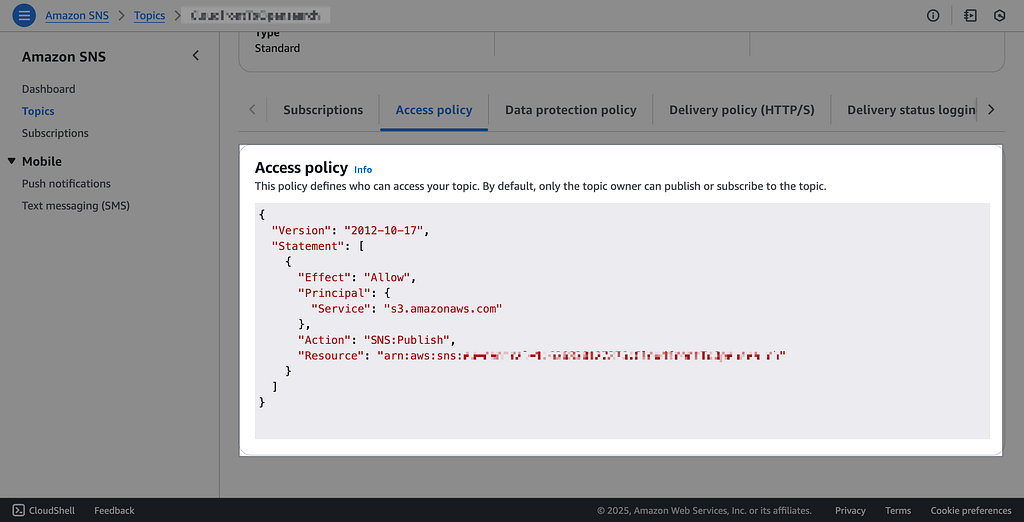
{
  "Version": "2012-10-17",
  "Statement": [
    {
      "Effect": "Allow",
      "Principal": {
        "Service": "s3.amazonaws.com"
      },
      "Action": "SNS:Publish",
      "Resource": "arn:aws:sns:[Your SNS ARN]"
    }
  ]
}
4. Create the Lambda Function
You’ll use the provided Python script (which handles decompression, parsing, and uploading to OpenSearch).
- Do not forget to change the OpenSearch Endpoint in the script.
- Folder name must be python
- Python file name must be lambda_function.py
lambda_function.py :
import json
import gzip
import boto3
import base64
import logging
from datetime import datetime
from urllib.parse import unquote
import urllib3

logger = logging.getLogger()
logger.setLevel(logging.INFO)

s3 = boto3.client('s3')

def lambda_handler(event, context):
    logger.info("Lambda function invoked")
    logger.info(f"Received event: {json.dumps(event)}")

    try:
        sns_message = event['Records'][0]['Sns']['Message']
        s3_event = json.loads(sns_message)

        bucket = s3_event['Records'][0]['s3']['bucket']['name']
        key = unquote(s3_event['Records'][0]['s3']['object']['key'])
        logger.info(f"Processing file: {key} from bucket: {bucket}")

        response = s3.get_object(Bucket=bucket, Key=key)
        logger.info("Successfully retrieved object from S3")

        gzipped_content = response['Body'].read()
        log_content = gzip.decompress(gzipped_content).decode('utf-8')
        logger.info("Log file decompressed and decoded")

        parsed_logs = parse_cloudfront_logs(log_content)
        logger.info(f"Parsed {len(parsed_logs)} log entries")

        send_to_opensearch(parsed_logs, key)
        logger.info("Logs sent to OpenSearch")

        return {
            'statusCode': 200,
            'body': json.dumps(f'Successfully processed {key}')
        }
    except Exception as e:
        logger.error(f"Error processing file: {str(e)}")
        return {
            'statusCode': 500,
            'body': json.dumps(f'Error processing file: {str(e)}')
        }

def parse_cloudfront_logs(log_content):
    logger.info("Parsing CloudFront logs")
    log_lines = [line for line in log_content.split('\n') if line and not line.startswith('#')]
    headers = [
        'date', 'time', 'x-edge-location', 'sc-bytes', 'c-ip', 'cs-method',
        'cs(Host)', 'cs-uri-stem', 'sc-status', 'cs(Referer)', 'cs(User-Agent)',
        'cs-uri-query', 'cs(Cookie)', 'x-edge-result-type', 'x-edge-request-id',
        'x-host-header', 'cs-protocol', 'cs-bytes', 'time-taken', 'x-forwarded-for',
        'ssl-protocol', 'ssl-cipher', 'x-edge-response-result-type',
        'cs-protocol-version', 'fle-status', 'fle-encrypted-fields', 'c-port',
        'time-to-first-byte', 'x-edge-detailed-result-type', 'sc-content-type',
        'sc-content-len', 'sc-range-start', 'sc-range-end'
    ]
    parsed_logs = []
    for idx, line in enumerate(log_lines):
        fields = line.split('\t')
        log_dict = dict(zip(headers, fields))
        logger.debug(f"Parsing log line {idx+1}")
        nginx_log = convert_to_nginx_format(log_dict)
        parsed_logs.append(nginx_log)
    return parsed_logs

def convert_to_nginx_format(log_dict):
    timestamp = f"{log_dict['date']}T00:00:00Z"
    user_agent = unquote(log_dict['cs(User-Agent)'])
    nginx_log = {
        '@timestamp': timestamp,
        'remote_addr': log_dict['c-ip'],
        'remote_user': '-',
        'request': f"{log_dict['cs-method']} {log_dict['cs-uri-stem']} {log_dict['cs-protocol-version']}",
        'status': log_dict['sc-status'],
        'body_bytes_sent': log_dict['sc-bytes'],
        'http_referer': log_dict['cs(Referer)'] if log_dict['cs(Referer)'] != '-' else '',
        'http_user_agent': user_agent,
        'host': log_dict['cs(Host)'],
        'request_time': float(log_dict['time-taken']),
        'upstream_response_time': '-',
        'upstream_status': '-'
    }
    logger.debug(f"Converted log to NGINX format: {nginx_log}")
    return nginx_log

def send_to_opensearch(parsed_logs, log_key):
    logger.info("Preparing to send logs to OpenSearch")
    opensearch_endpoint = '[YOUR VPC ENDPOINT]'

    current_date = datetime.now().strftime('%Y-%m-%d')
    index_name = f'cloudfront-logs-{current_date}'.lower()

    bulk_body = []
    for log in parsed_logs:
        bulk_body.append(json.dumps({
            'index': {
                '_index': index_name,
                '_id': base64.b64encode(f"{log_key}_{log['@timestamp']}".encode()).decode()
            }
        }))
        bulk_body.append(json.dumps(log))

    bulk_payload = '\n'.join(bulk_body) + '\n'

    try:
        http = urllib3.PoolManager()
        response = http.request(
            'POST',
            f"{opensearch_endpoint}/_bulk",
            body=bulk_payload.encode('utf-8'),
            headers={'Content-Type': 'application/x-ndjson'}
        )
        logger.info(f"OpenSearch response status: {response.status}")
        logger.info(f"OpenSearch response data: {response.data}")
        if response.status != 200:
            logger.error(f"Error sending to OpenSearch: {response.data}")
    except Exception as e:
        logger.error(f"Exception sending to OpenSearch: {str(e)}")
Include Dependencies (urllib3)
Because Lambda does not come with urllib3 by default:
mkdir python

pip install urllib3 -t python/
zip -r9 function.zip python/
Then add your lambda_function.py (your code file) to the zip:
zip -g function.zip lambda_function.py
Upload this ZIP when creating your Lambda function.
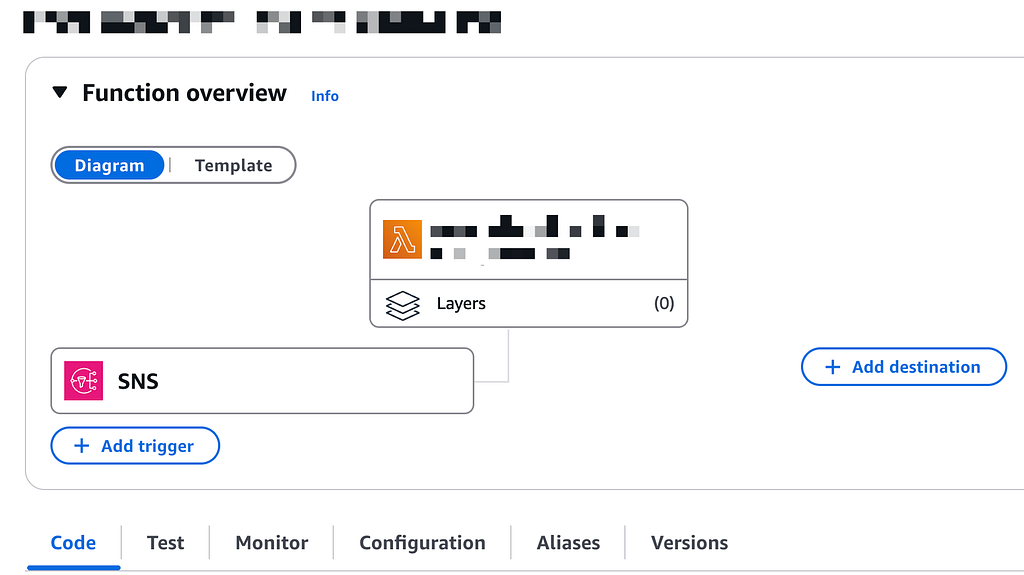
After adding the lambda function as trigger to SNS you should see SNS in the overview like below:
5. Set Environment and Permissions
- Runtime: Python 3.9+
- Handler: lambda_function.lambda_handler
- Timeout: 1–2 minutes (depending on log size)
IAM Role should include:
- s3:GetObject
- es:ESHttpPost, es:ESHttpGet, es:ESHttpPut
- logs:CreateLogStream, logs:PutLogEvents, logs:CreateLogGroup
- s3-object-lambda:Get* , s3-object-lambda:List*
- s3:Get* , s3:List* , s3:Describe*
- sns:Subscribe if you attach via code
Please limit the resource according to your requirements
7. Connect the SNS Topic to Lambda
- Go to SNS → Subscriptions → Create Subscription
- Protocol: AWS Lambda
- Endpoint: your Lambda ARN
Then confirm the subscription.
8. Test the Flow
- Upload a sample CloudFront log file (or wait for CloudFront to write one).
- Check Lambda logs in CloudWatch.
- Verify index creation in OpenSearch.
- You can test the lambda function with this sample event notification as well.
{
  "Records": [
      {
          "EventSource": "aws:sns",
          "EventVersion": "1.0",
          "EventSubscriptionArn": "arn:aws:sns:eu-central-1:123456789012:YourSNSTopic:unique-subscription-id",
          "Sns": {
              "Type": "Notification",
              "MessageId": "dummy-message-id-1234-abcd-5678-efgh-ijklmnopqrs",
              "TopicArn": "arn:aws:sns:eu-central-1:123456789012:YourSNSTopic",
              "Subject": "Amazon S3 Notification",
              "Message": "{\"Records\":[{\"eventVersion\":\"2.1\",\"eventSource\":\"aws:s3\",\"awsRegion\":\"eu-central-1\",\"eventTime\":\"2025-03-28T13:09:25.023Z\",\"eventName\":\"ObjectCreated:Put\",\"userIdentity\":{\"principalId\":\"AWS:YOUR-PRINCIPAL-ID\"},\"requestParameters\":{\"sourceIPAddress\":\"72.21.217.31\"},\"responseElements\":{\"x-amz-request-id\":\"dummy-request-id\",\"x-amz-id-2\":\"dummy-amz-id\"},\"s3\":{\"s3SchemaVersion\":\"1.0\",\"configurationId\":\"S3ToSNS\",\"bucket\":{\"name\":\"your-bucket-name\",\"ownerIdentity\":{\"principalId\":\"dummy-owner-id\"},\"arn\":\"arn:aws:s3:::your-bucket-name\"},\"object\":{\"key\":\"your-log-file.gz\",\"size\":123456,\"eTag\":\"dummy-etag\",\"sequencer\":\"dummy-sequencer-id\"}}}]}",
              "Timestamp": "2025-03-28T13:09:25.574Z",
              "SignatureVersion": "1",
              "Signature": "dummy-signature-value",
              "SigningCertUrl": "https://sns.eu-central-1.amazonaws.com/SimpleNotificationService-dummy-cert.pem",
              "UnsubscribeUrl": "https://sns.eu-central-1.amazonaws.com/?Action=Unsubscribe&SubscriptionArn=arn:aws:sns:eu-central-1:123456789012:YourSNSTopic:unique-subscription-id",
              "MessageAttributes": {}
          }
      }
  ]
}
Verifying OpenSearch Index
Each day’s logs will be indexed into:
cloudfront-logs-YYYY-MM-DD
You can verify via Kibana/OpenSearch Dashboards:
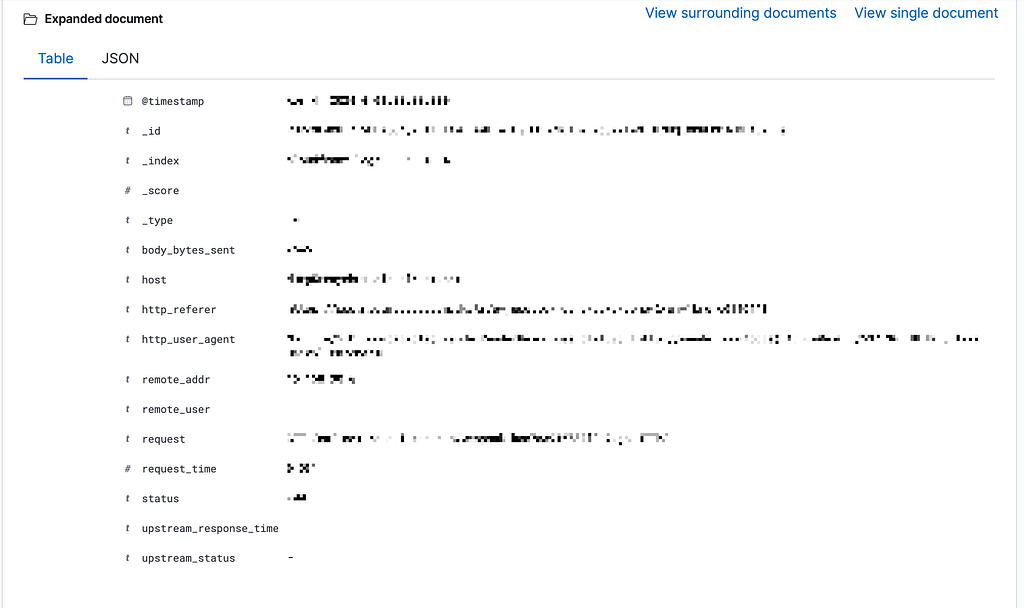
- Explore the @timestamp, status, request, user-agent fields
- Build dashboards or search patterns
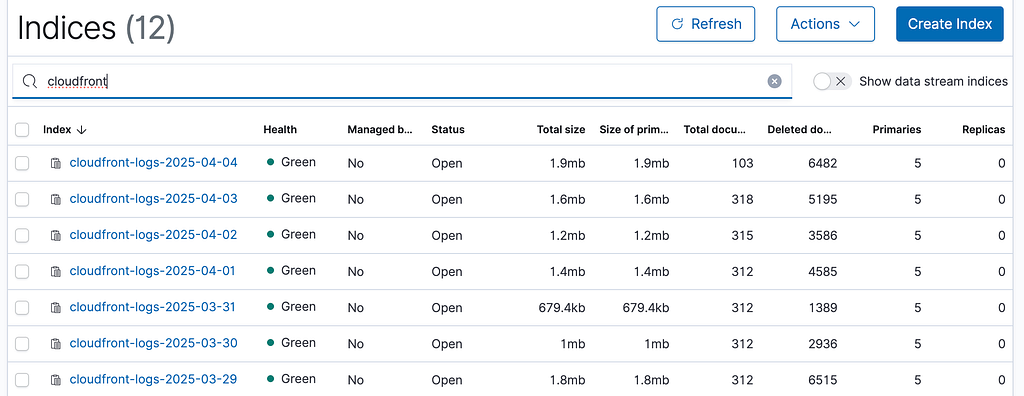
You should see your indices in OpenSearch,
Under Index Management → Indices
You can create an index from there with the name of cloudfron:t-logs-*
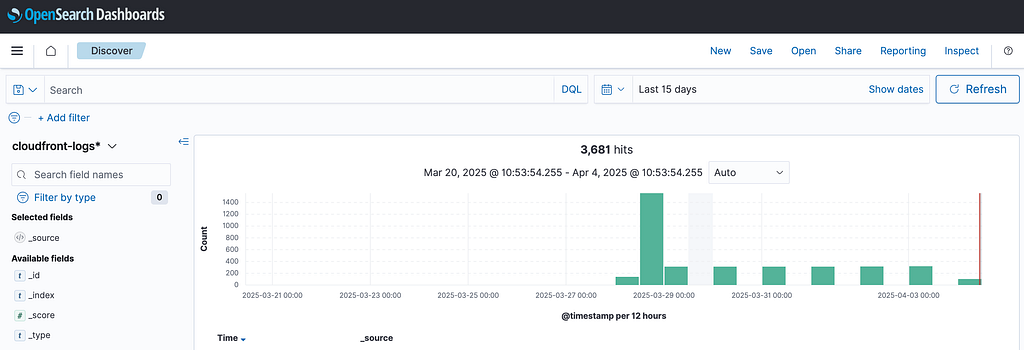
After creating the index you should see your logs under Discover:
Notes & Troubleshooting
- Empty logs? Check if the file is actually a data file (not a # header-only file)
- Timeouts? Increase Lambda timeout if logs are large
- OpenSearch 403 or 500? Check IAM policies and IP access policies
Resources
Conclusion
With this setup, you’ve created a fully serverless pipeline to collect, parse, and index CloudFront logs into OpenSearch enabling real-time insights into your CDN traffic. It’s scalable, cost-effective, and easy to build upon.